Fleet & compliance
Vehicles with registration papers, photos and a VIN QR code. Taxi permit, inspection and insurance expiry dates are tracked, with warnings 30 days ahead.
TaxiCRM is free software for taxi and private-hire fleets: vehicles and permits, drivers, trip imports, private-ride invoices and monthly reports, in one place you run yourself.
What it does
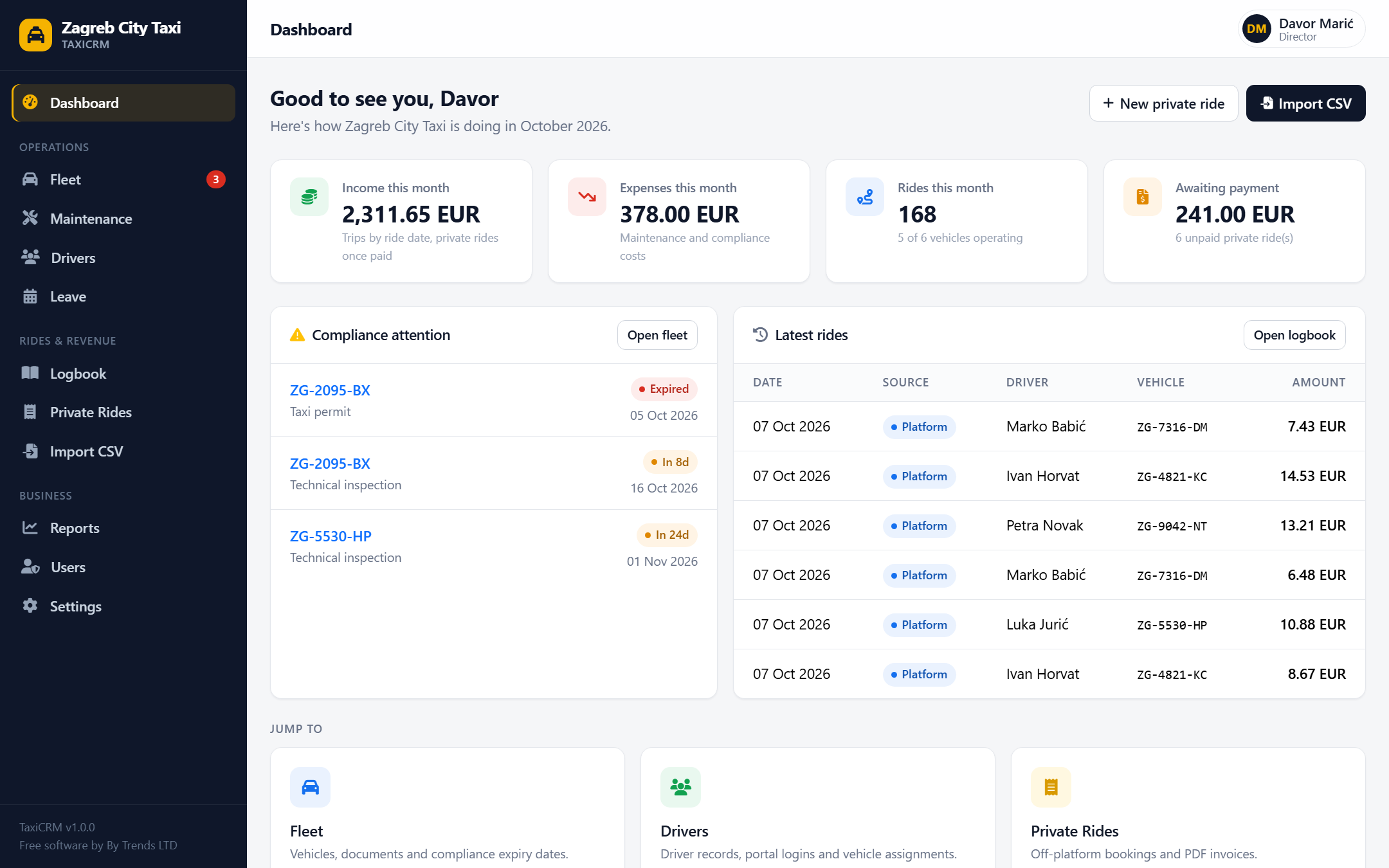
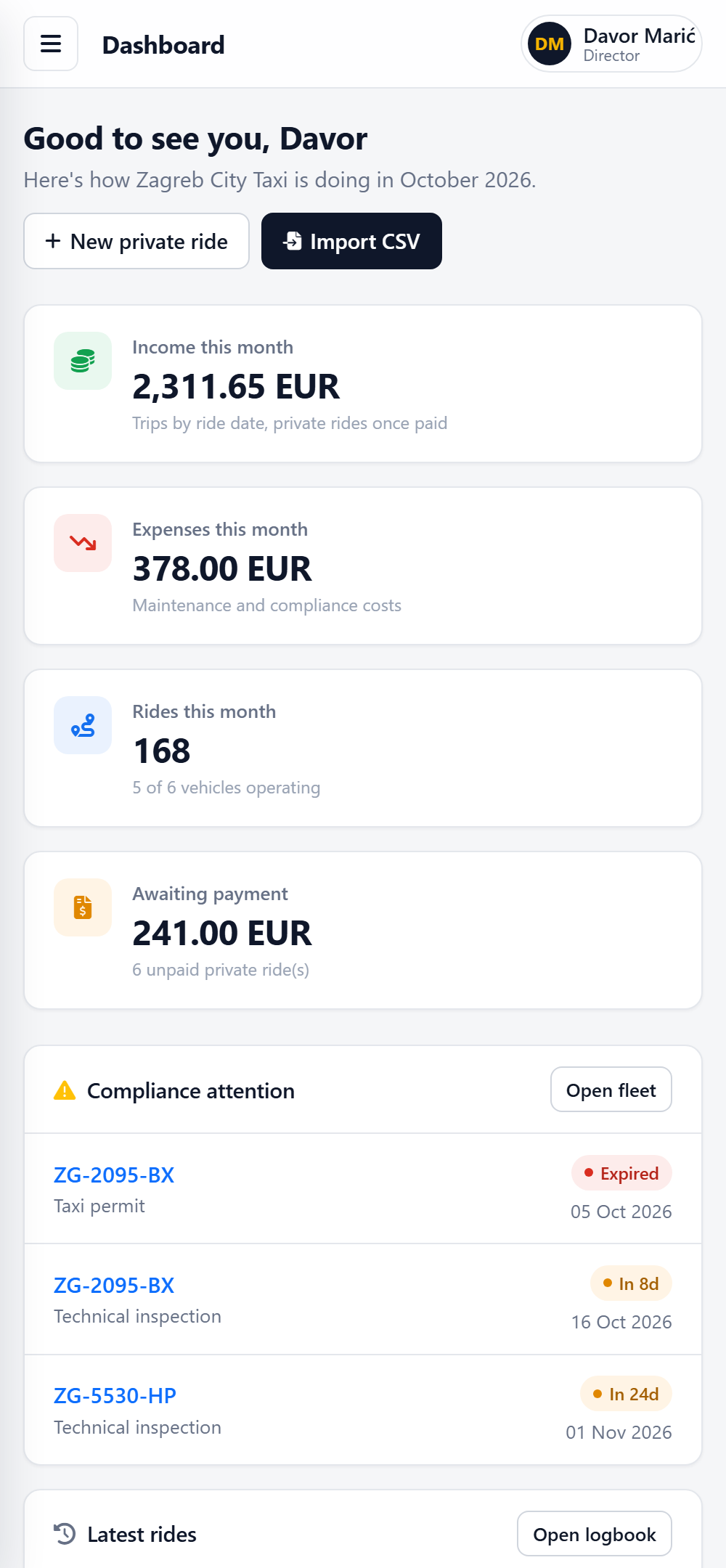
Built around how taxi companies actually work: platform trips, direct bookings, paperwork that expires, and an accountant who wants clean numbers at month end.
Vehicles with registration papers, photos and a VIN QR code. Taxi permit, inspection and insurance expiry dates are tracked, with warnings 30 days ahead.
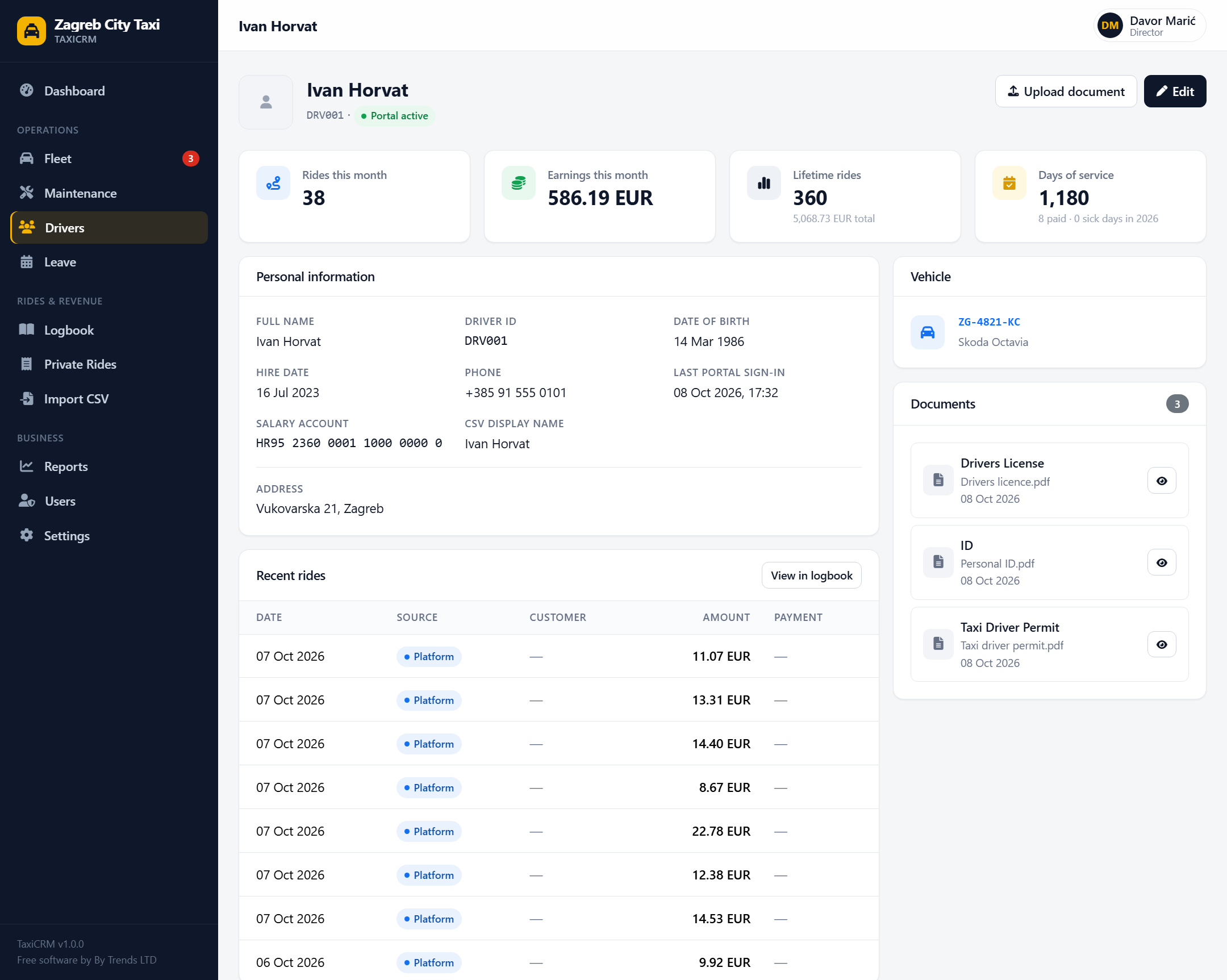
Driver records, identity documents and vehicle assignments, plus a read-only portal where each driver sees their own trips, earnings and leave.
Import trip and working-hours exports. Map the columns once and they are remembered. Names are matched, duplicates skipped, and any import can be undone.
Log bookings you take directly at an agreed price, and download a Paid or Unpaid PDF invoice with a stable invoice number.
Income and expenses under clear rules, income by driver, month-on-month change, and a CSV export your accountant can open straight away.
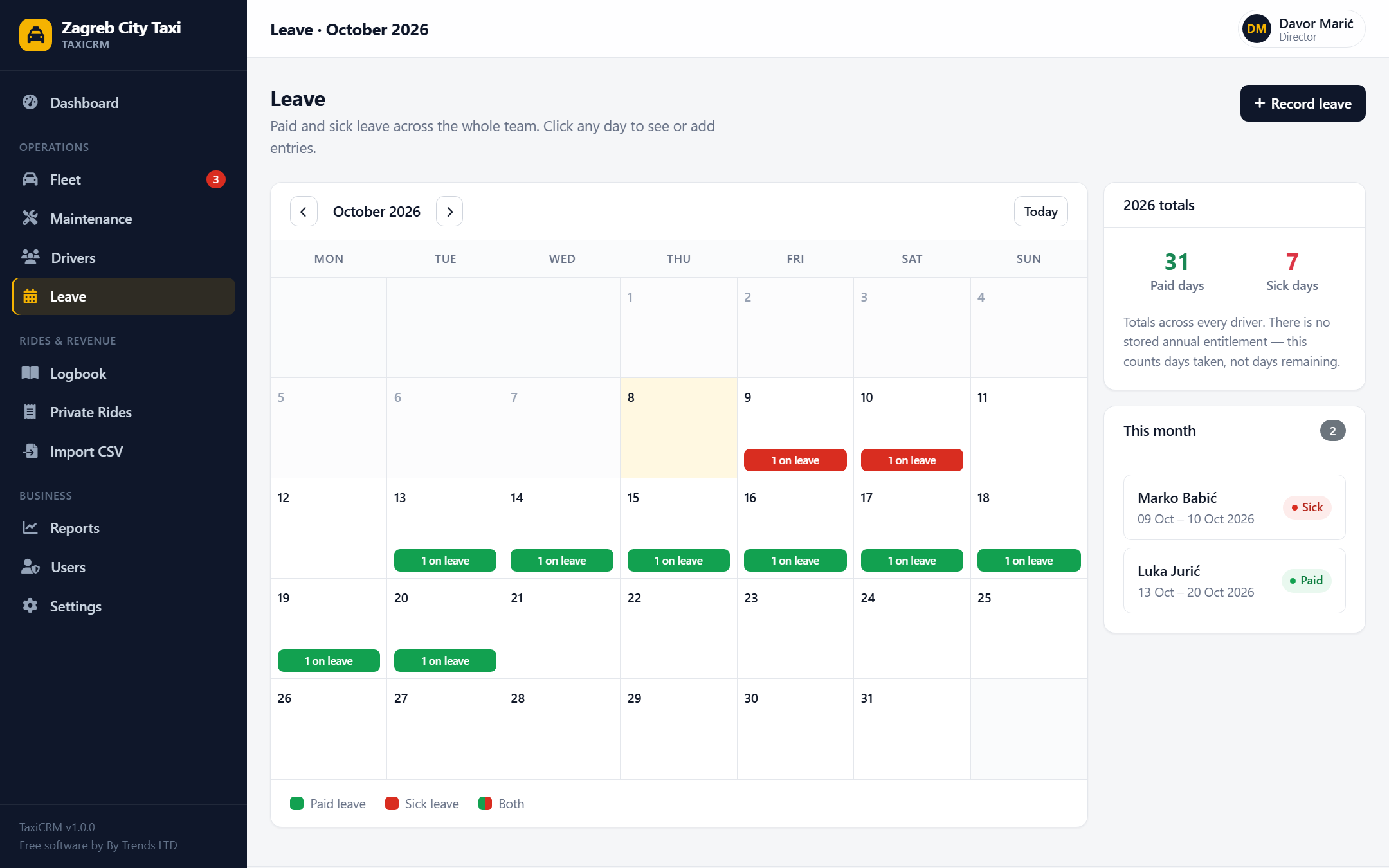
Paid and sick leave on a team calendar with overlap checks, so you see who is off before you promise a shift.
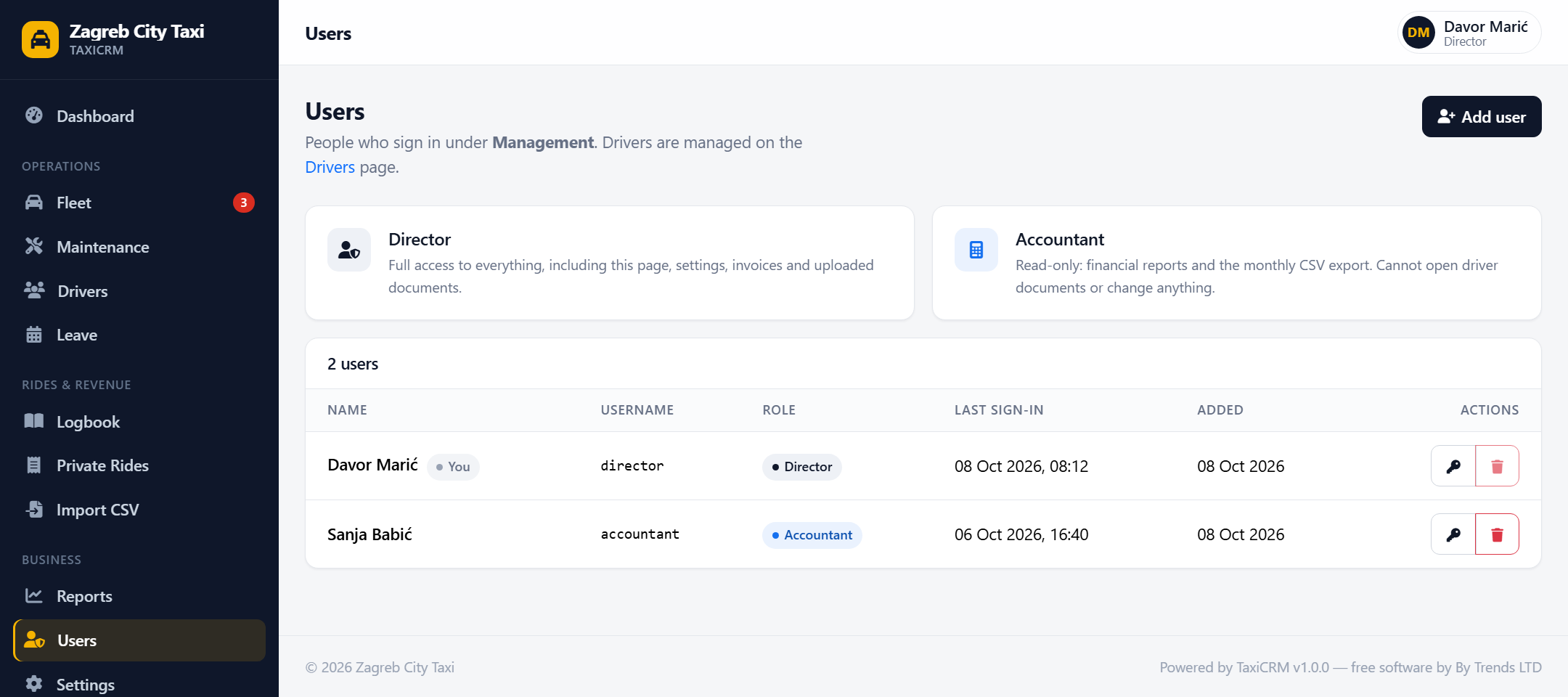
Directors do everything, Accountants see reports only, Drivers see their own data. Changing a password signs out that account's other sessions.
No analytics, no CDNs, no outside services. Driver documents are served only to people allowed to see them.
A closer look
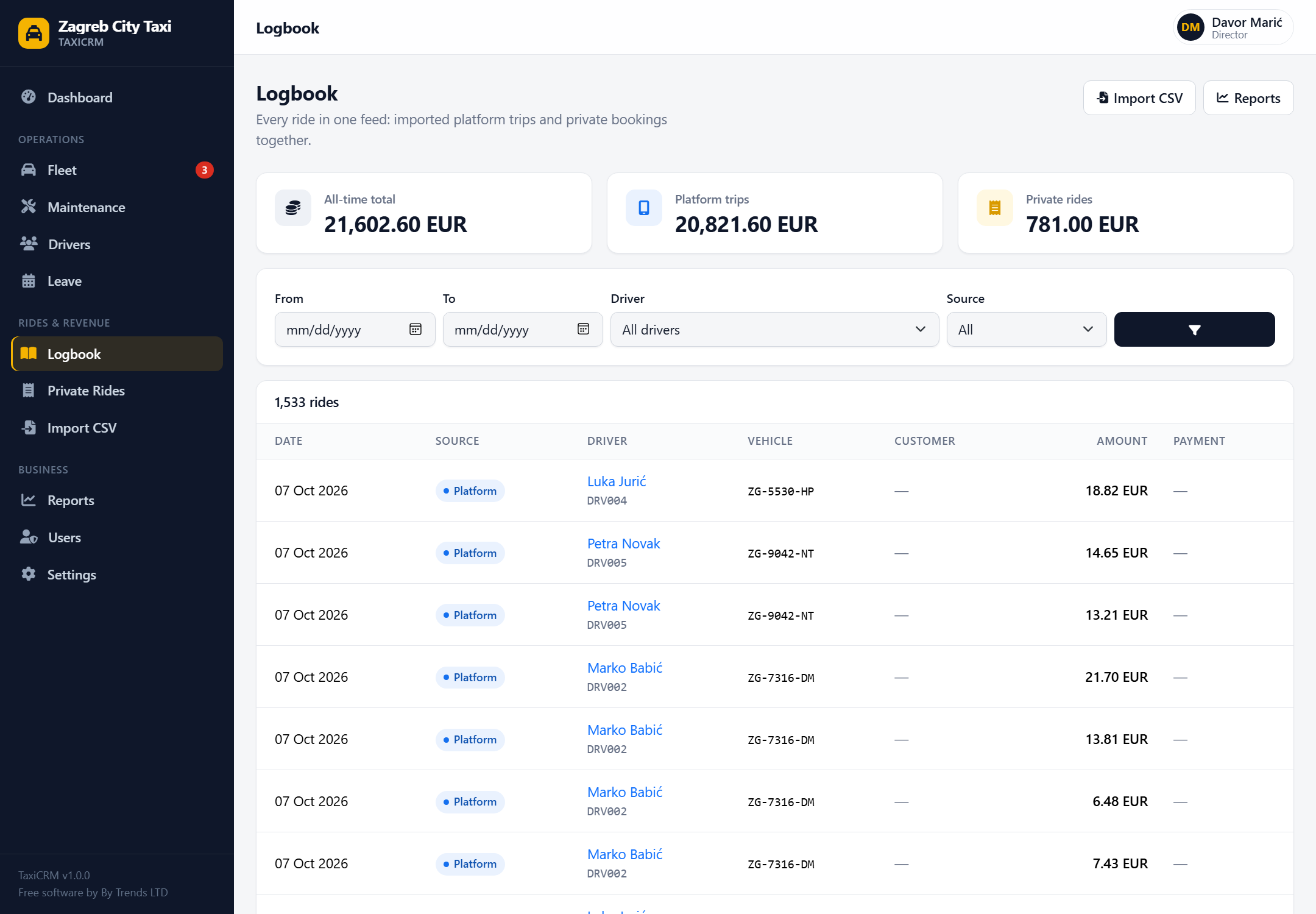
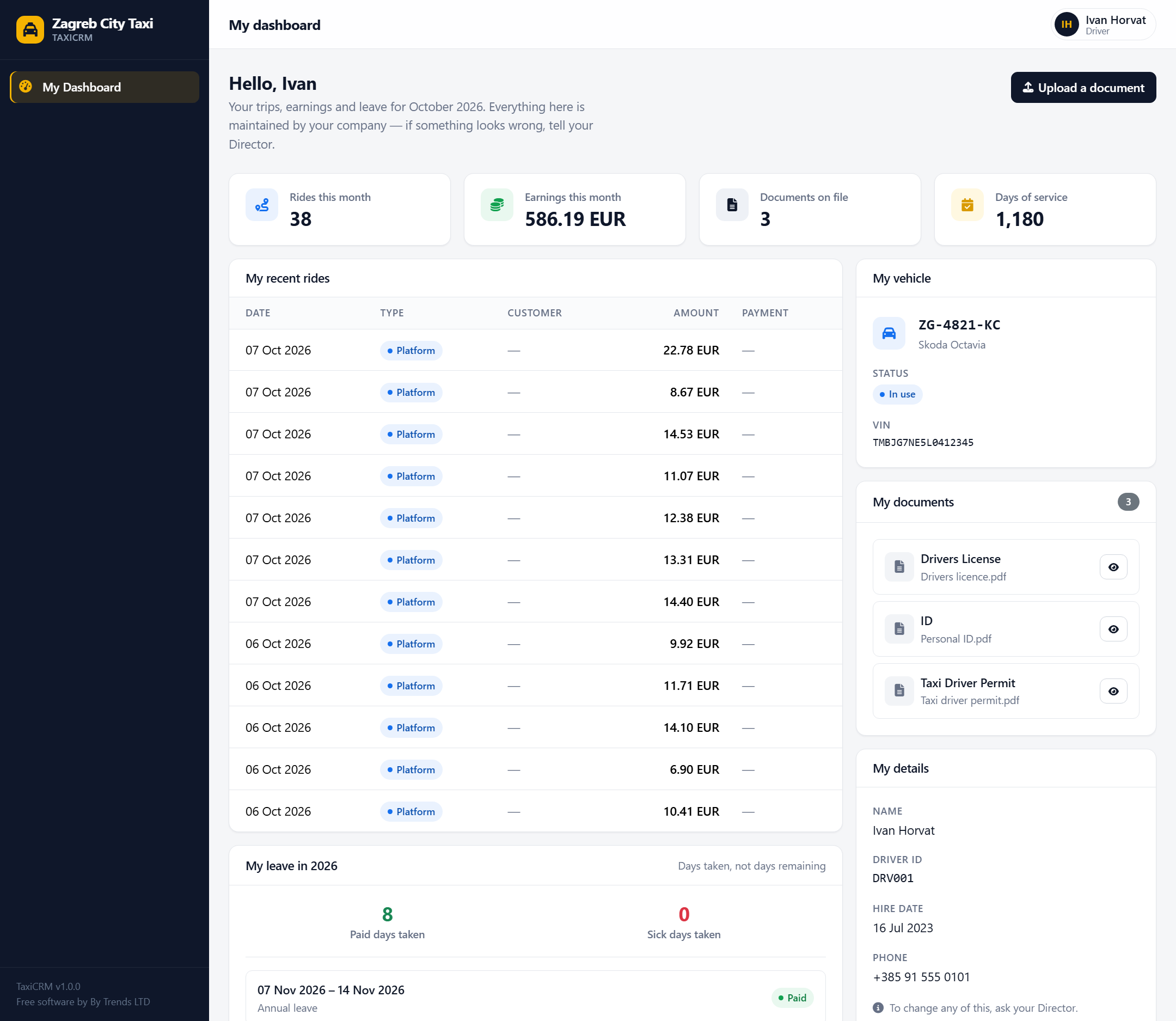
Real screens from the demo data. Click any screenshot to see it full size.
Fleet & compliance
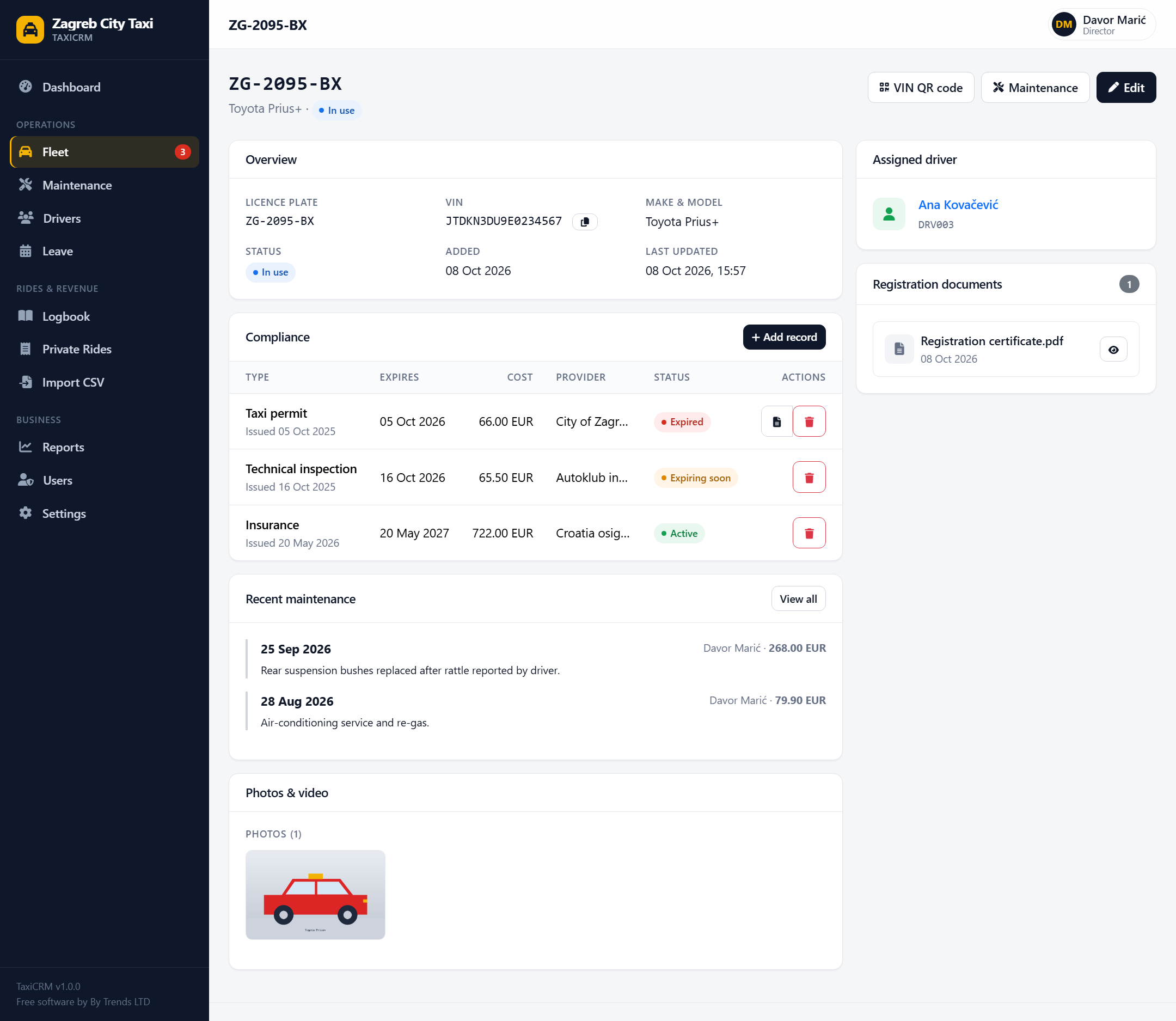
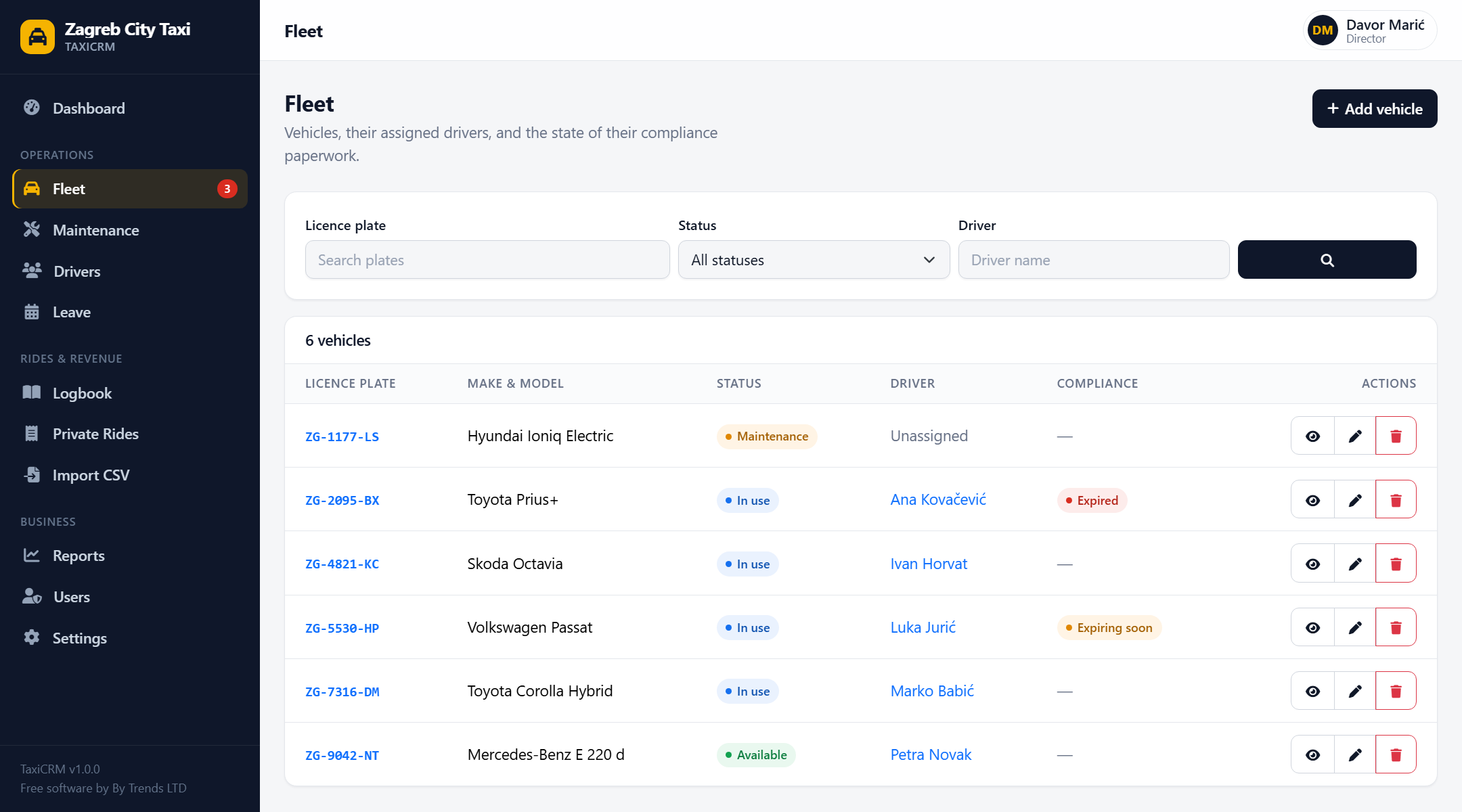
Every vehicle carries its taxi permit, technical inspection and insurance with an expiry date. Status is worked out live, so it can never go stale, and anything expired or due within 30 days appears on the dashboard and as a badge in the sidebar.
CSV import
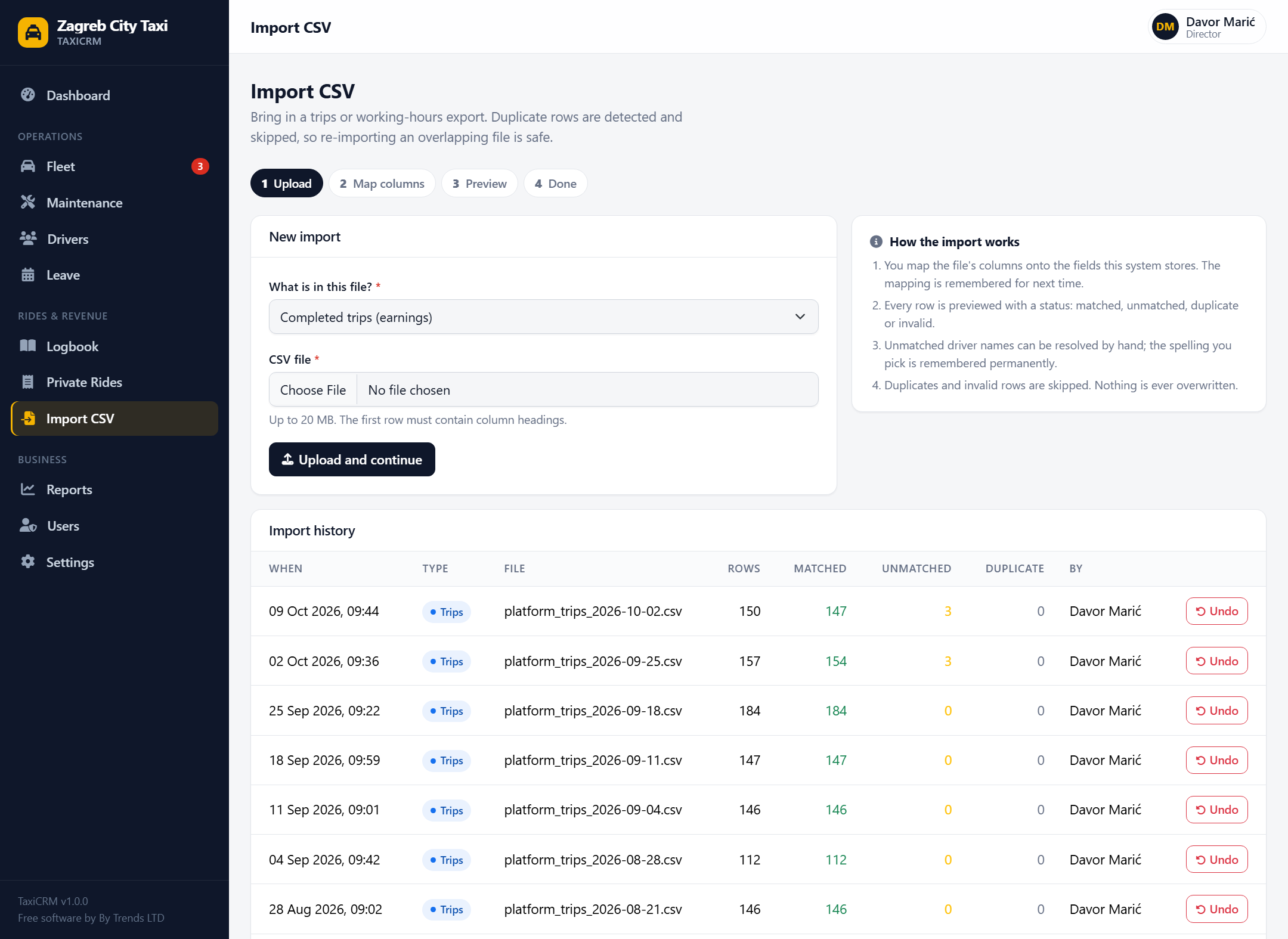
Upload the CSV your ride-hailing platform gives you, tell TaxiCRM which column is which, and review every row before anything is saved. Trips from imports and your own private rides land in one unified logbook.
Private rides
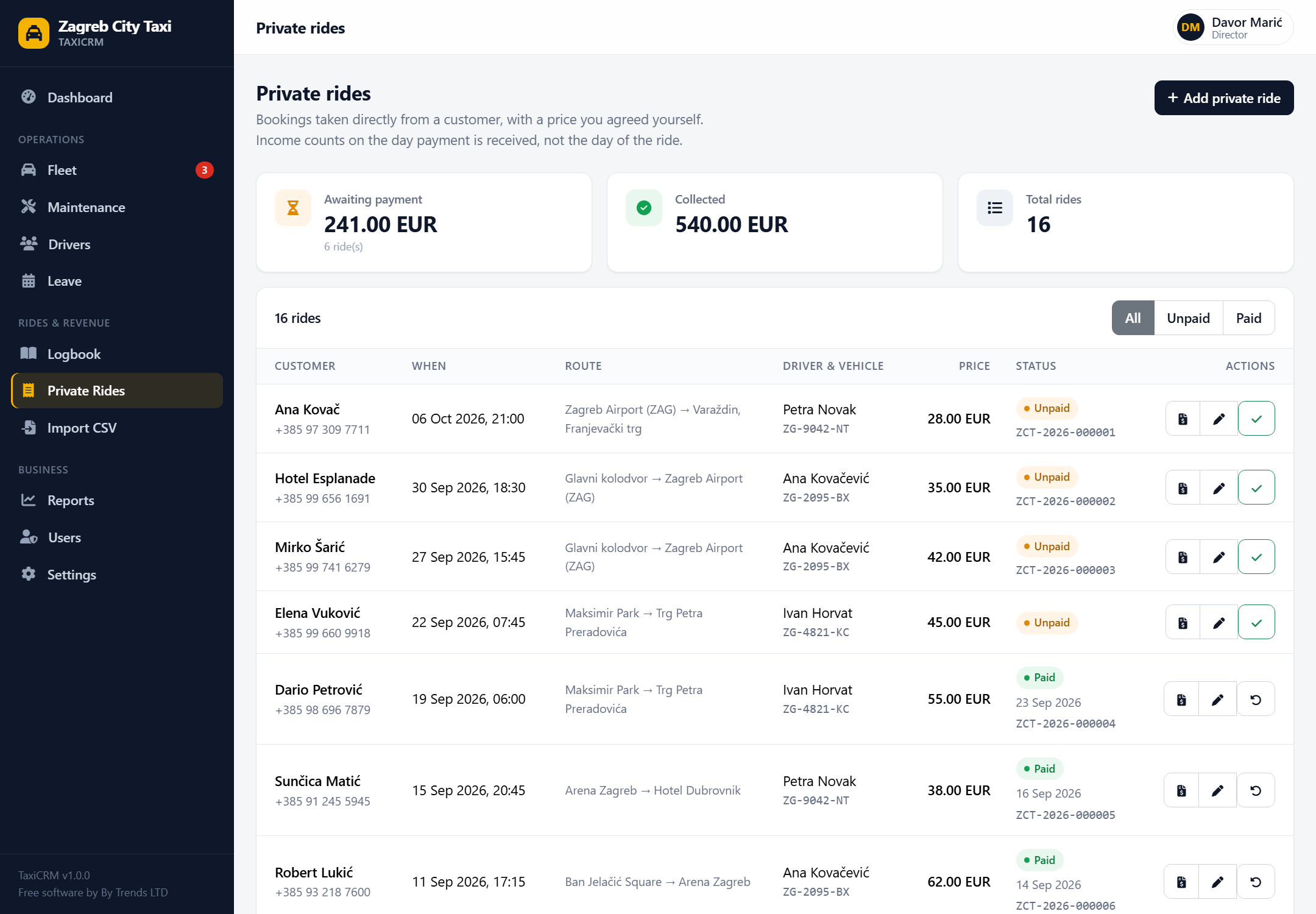
Take a booking by phone, agree a price, and log it in seconds. When the customer pays, mark it paid and download a PDF invoice stamped Paid. Income is counted on the day the money arrives, not the day of the ride.
Reports
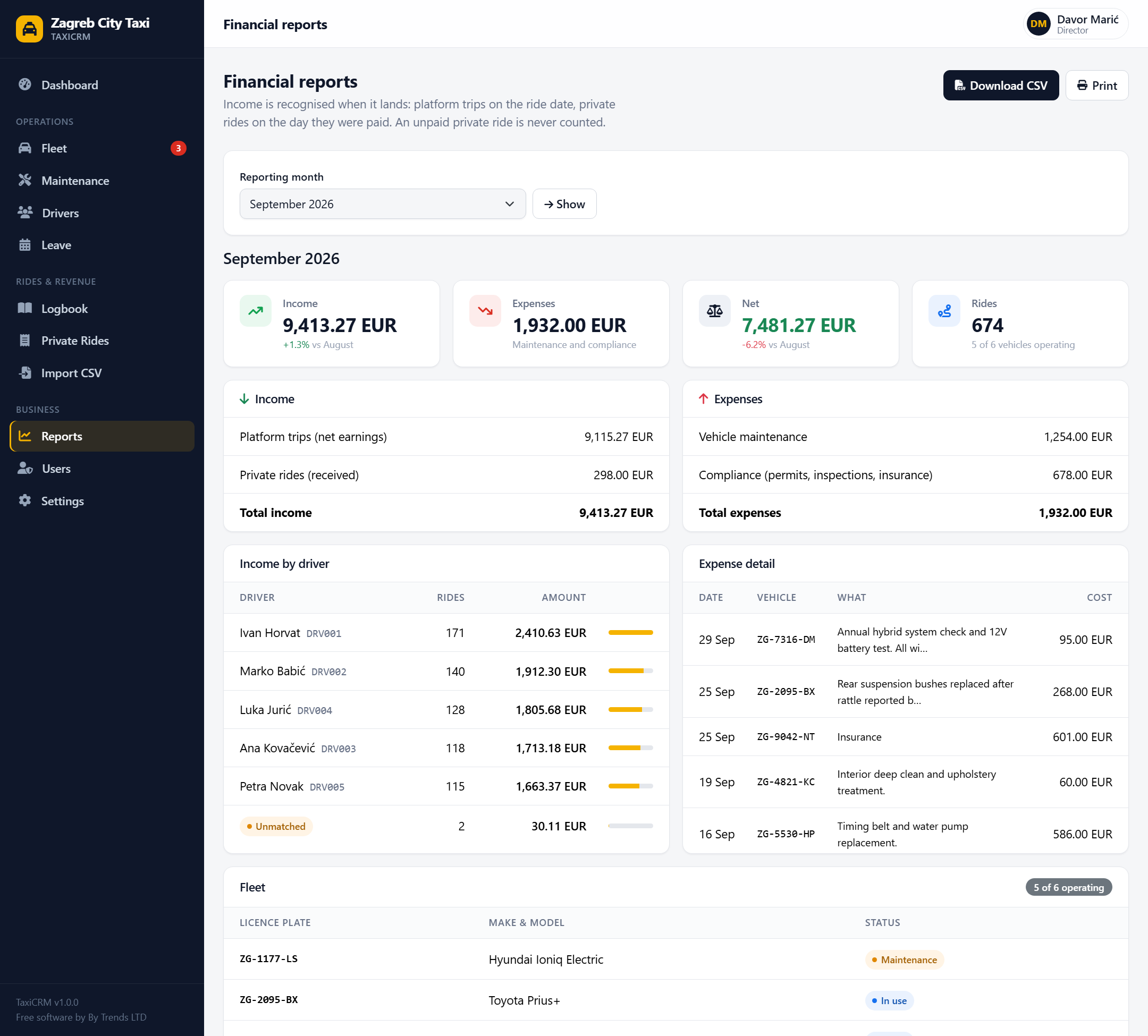
Pick a month and see income, expenses and net, compared with the month before. The rules are written on the page, and the CSV export uses the same ones, so what your accountant receives always matches what you see.
Driver portal
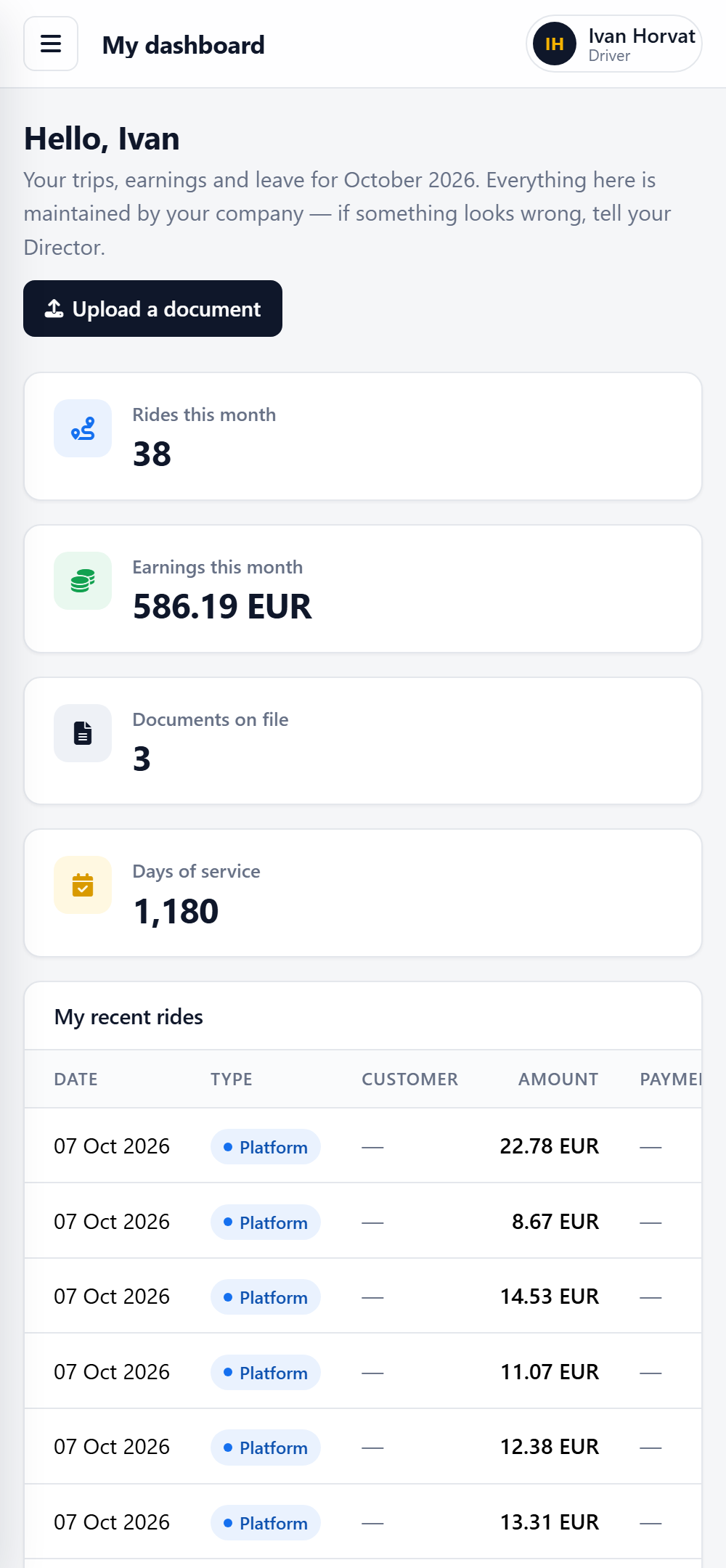
Drivers sign in with their Driver ID and see their own trips, earnings and leave. They can upload their documents from their phone. They can't change anything else, and they can't see anyone else's data.
Your data, your server
TaxiCRM stores personal data, so it is locked down by default and tells you when your hosting isn't.
A plain PHP and MySQL application. Your data never reaches us, and there is no account to create or licence to renew.
No analytics, fonts, CDNs or validation services. Even IBAN checks and QR codes are computed locally.
CSRF protection, sign-in throttling, hashed passwords, uploads verified by content and served only to people allowed to see them.
Settings includes a live check of your hosting: HTTPS, the installer removed, and whether uploaded files could be downloaded directly.
Get started
If you can upload files to a web host, you can run TaxiCRM. The installer does the rest, including creating your main administrator account.
Download the zip, unzip it, and upload the contents to your web server.
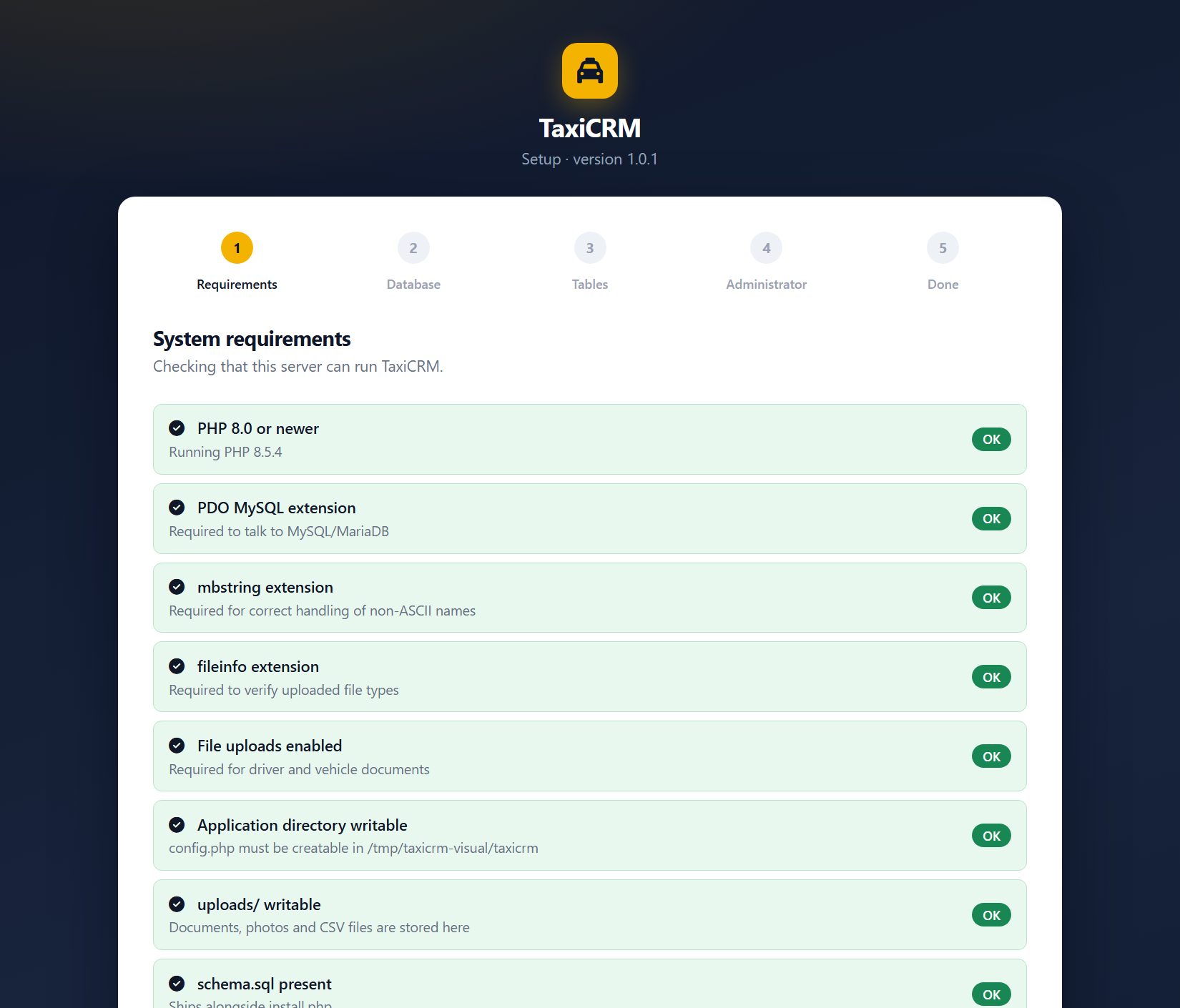
Visit the site in your browser. The installer checks your server and asks for your database details.
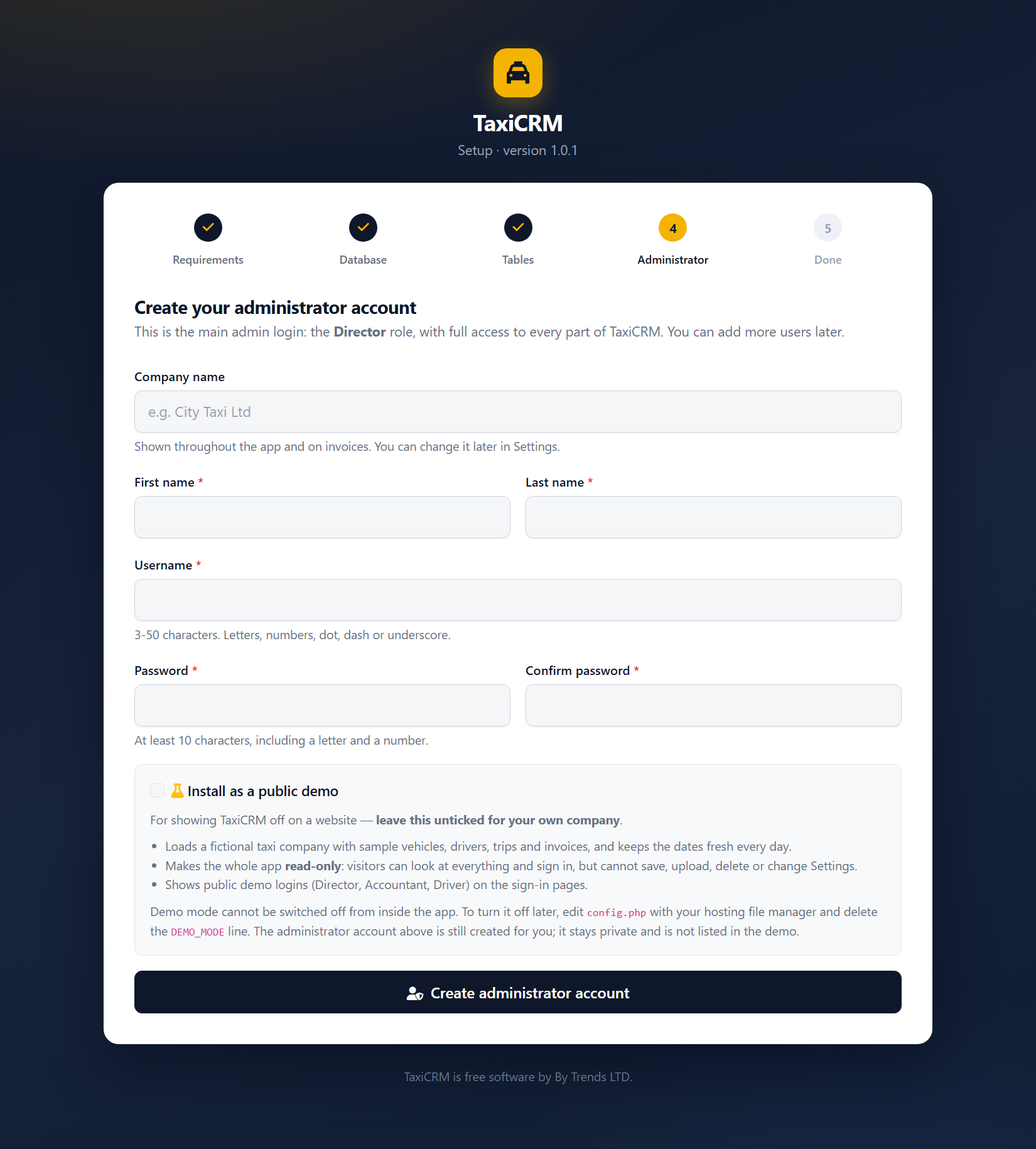
Choose your company name and the main administrator login. The installer then deletes itself. (Building a showcase site? Tick Install as a public demo for a read-only copy with sample data.)
Add vehicles and drivers, import your first CSV, and share the portal with your drivers.
Free, really
TaxiCRM costs nothing to download, install or use, including in a business that earns money. It is made by By Trends LTD, a small independent company registered in Bulgaria that funds its projects through advertising and voluntary donations.
If TaxiCRM saves you time, a donation helps us keep it maintained and makes the next free project possible. It is optional, it is one-off, and it unlocks nothing — you already have everything.
Donations are made on the By Trends LTD website and go toward hosting, maintenance and new free tools.
Donate to By TrendsOpens bytrendsltd.com in a new tab
Questions
There is no catch and no paid tier. You may use TaxiCRM in your own business at no cost, for as long as you like. What you may not do is resell it or redistribute it; the licence is in the download and on the licence page.
Whatever your hosting costs. Any ordinary PHP 8 host with a MySQL or MariaDB database will do, including inexpensive shared hosting. A VPS works equally well.
It imports CSV files rather than connecting to any platform's systems. You tell it which column is the driver, date and earnings, and it remembers the mapping. It was built around Bolt-style trip and working-hours exports, but any CSV with those columns will import. It is not an official integration with any company.
They are internal payment records for your own bookkeeping, not fiscalised tax receipts, and every PDF says so. Check what your country requires before giving them to customers, and ask your accountant.
On your server, in your database and your uploads folder. By Trends LTD never receives it. That also means backups are your responsibility; the guide explains how to take them.
The currency, company name, invoice prefix and invoice footer are settings. The interface is in English. You may edit the source for your own use, but not redistribute your changes.
PHP 8.0 or newer with the pdo_mysql, mbstring and fileinfo extensions, a MySQL 5.7+/8 or MariaDB 10.4+ database, and Apache, nginx or IIS. It was developed and tested on PHP 8.5 and MySQL 8.4.
No support is promised, but the documentation covers installation, backups, security and common problems. For questions about the software, contact By Trends LTD through bytrendsltd.com.
Download TaxiCRM, or try the live demo first. Both are free.
SHA-256: loading…